This update introduces new features to enhance user productivity within the Coperniq app.
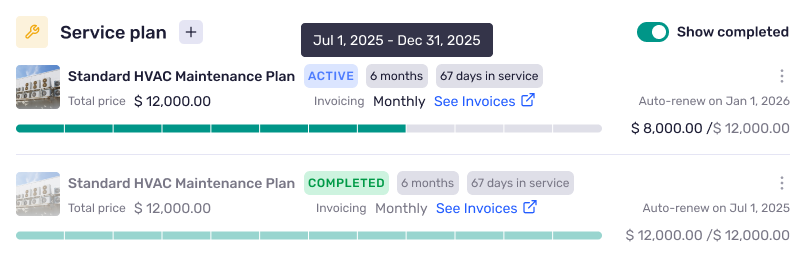
You asked for a simple way to make maintenance repeatable. Service Plans let you define a plan once, apply it to a client + site, and Coperniq takes care of the recurring work and scheduled billing.
What you can do today
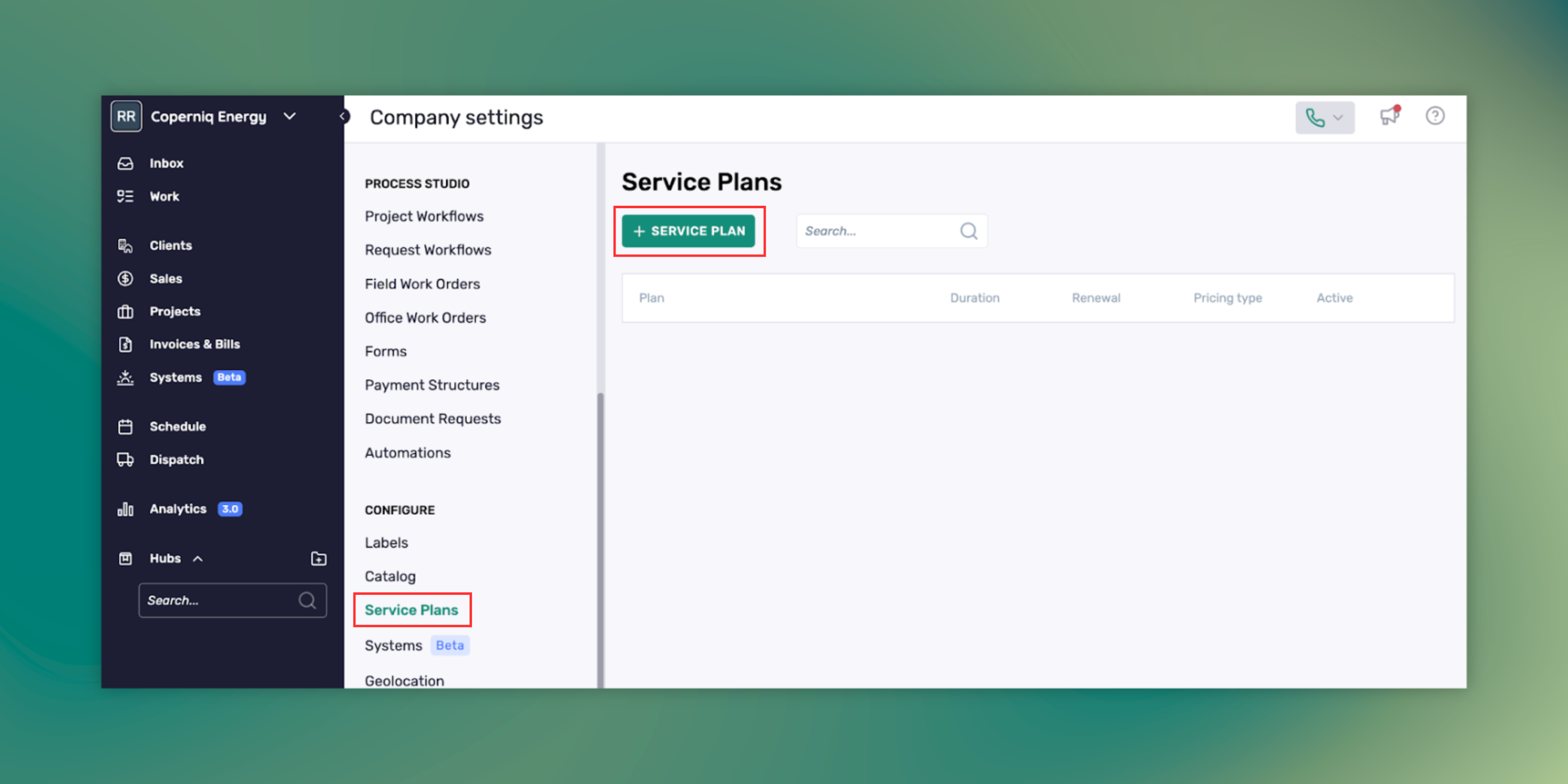
Create plan templates in Company Settings → Service Plans with Name, Description, Service Agreement, Total Price, Duration, Auto-renew, and a Service Schedule (rows with Frequency and Notes).
Company Settings > Service Plans
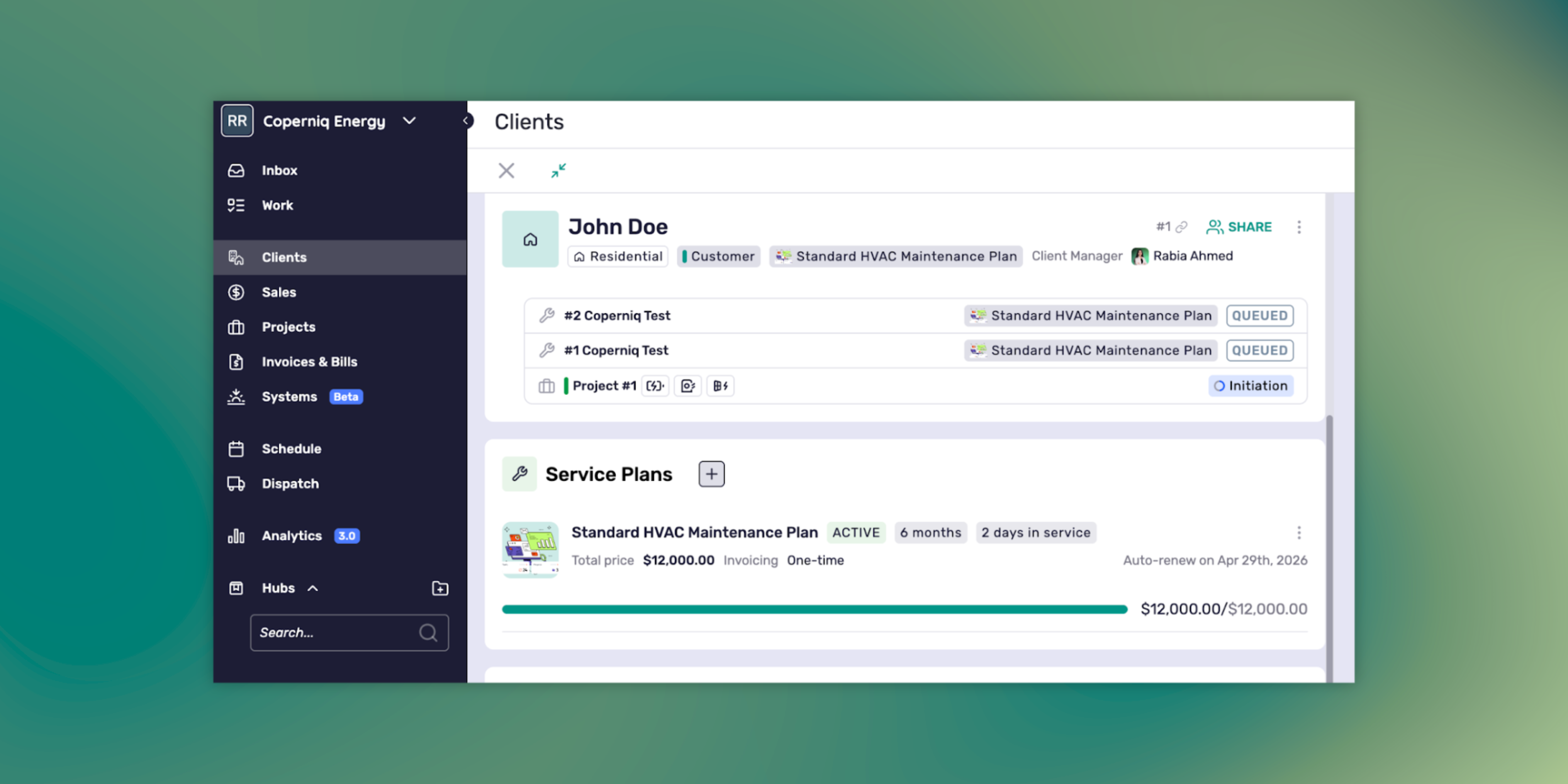
Apply the plan on the client record for a client + site. Multiple sites per plan application are supported.
Generate work automatically. Coperniq creates plan-covered work orders from your Service Schedule and links each job back to the plan.
Bill on a schedule. Invoices are created on the invoice cadence you choose. Find them in Invoices & Bills. Today, invoices are identifiable by plan details in the invoice description.
Triage faster. VIP badges mark plan customers in Dispatch, Work lists, the Client header, and invoice lists.
Where this shines
Bundle at closeout. Add a plan when you hand over a job so the first invoice and the first visit are already set.
Turn one-offs into programs. Convert a service request into a plan so the next visits are automatic.
Cover multiple systems. Use multiple rows in the Service Schedule to include different visit types across trades for the same client + site, like quarterly HVAC checks and an annual PV inspection.
A quick example
You finish an install and apply a “Gold” plan to the client + site.
Service Schedule has two rows: Quarterly tune-up and Annual deep check with their Frequency set.
Coperniq creates the first plan-covered work order and the first invoice on your selected cadence.
VIP badges appear for that client so dispatch can prioritize when needed.
Get started in minutes
Company Settings → Service Plans: create a template with at least one Service Schedule row that includes a Work Order Template and a Frequency.
Client → Service Plans → Apply Plan: pick the site, set the start date, choose the invoice schedule and invoice term, and confirm Auto-renew.
Let Coperniq run it. Jobs and invoices generate on schedule.
Notes and expectations
Work orders are site-scoped and link back to the plan.
Edits to a plan do not change completed jobs.
Invoices appear in Invoices & Bills and are currently identifiable by plan details in the description.
Use Auto-renew if you want the plan to continue at the end of the term.
How to get started
Check out our Learning Center to start selling memberships online through Coperniq.
If you’re not using Coperniq yet book a live demo to see Service Plans in action.
Personalized Demo with Coperniq
Ready to See Coperniq In Action?
Book a demo today and see why trade contractors love Coperniq
Your submission is received! Please book a time with us for a personalized demo of Coperniq.
Oops! Something went wrong while submitting the form.
Your submission is received! Please book a time with us for a personalized demo of Coperniq.
Oops! Something went wrong while submitting the form.